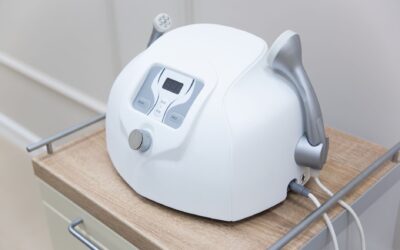

To clean an IPL hair removal device, start by unplugging it and wiping the flash window with a soft, dry cloth. For stubborn residue, lightly dampen the cloth with isopropyl alcohol (70% or lower) and gently wipe the window. Then, clean the body and handpiece with a slightly damp cloth and mild soap if needed, avoiding any openings. Always dry the device completely before storing it. This routine keeps the flash window clear for effective light emission and prevents bacterial buildup from skin contact.
Want to compare every option side by side? See our IPL Hair Removal Comparison Chart, with specs for all the IPL and laser hair removal devices we track.

Pros
- Painless ice cooling feature makes sessions comfortable.
- Fast full-body treatments in 10 minutes, ideal for busy schedules.
- Lifetime 999K flashes provide exceptional value and long-term use.
- 5 adjustable energy levels for customized treatment from face to legs.
- Dermatologist-tested and includes clear safety guidelines.
Cons
- Requires shaving before each session and sun avoidance for best results.
- Not suitable for dark skin tones or light hair, limited to light/medium skin with dark hair.
- Corded design may restrict movement compared to cordless models.
The Oreeth IPL Hair Removal Device is an at-home laser alternative designed for both women and men with light to medium skin tones and dark hair. It combines advanced IPL technology with a built-in ice cooling contact, making sessions nearly painless while effectively weakening hair follicles for long-term results.
Standout features include a rapid 0.8-second flash speed, enabling full-body coverage in just 10 minutes, and a powerful 19J energy output that most users see visible thinning by week three and smooth skin by week eight. With 999K flashes, the device offers a lifetime of use, saving hundreds of dollars compared to salon treatments. The 5 adjustable energy levels allow safe use on sensitive areas like the face (level 1) and tougher areas like legs (level 5).
Design-wise, the Oreeth is compact and lightweight at 8.8 ounces, with a corded design that ensures consistent power delivery without battery worries. The ice cooling element keeps the skin cool during flashes, enhancing comfort. The device includes a dermatologist-tested safety system with an automatic skin tone sensor and a test patch requirement.
One potential drawback is that the device is not suitable for dark skin tones, light hair, or gray hair, limiting its effectiveness to a specific demographic. Additionally, users must shave before each session and avoid sun exposure to prevent adverse reactions. The corded nature may be less convenient for travel, but it guarantees stable performance.
Overall, the Oreeth IPL device is a fantastic investment for those who fit the skin and hair criteria. It delivers professional-grade results at a fraction of the cost, with painless operation and long-lasting value. Backed by a solid warranty and responsive support, it is a top choice for hassle-free, at-home hair removal.

Pros
- Fast visible results in 2-4 weeks with regular use.
- Three adjustable modes for personalized treatment intensity.
- Long-lasting 999,999 flashes eliminate the need for replacement parts.
- Comes with essential accessories (goggles and razor) for immediate use.
- Corded power provides consistent performance without battery concerns.
Cons
- Requires consistent use (3 times per week for first month) for optimal results, which may be demanding for some users.
- Corded design limits mobility during treatment compared to cordless alternatives.
- No reviews available yet, so long-term reliability is unverified.
The Faine IPL Laser Hair Removal Device is a comprehensive at-home solution for both women and men seeking permanent hair reduction. Designed for use on the face, bikini line, legs, arms, and full body, it promises salon-quality results without the need for appointments. This corded device comes with protective goggles and a razor, making it ready to use straight out of the box.
Its standout feature is the 98% visible hair reduction achievable in 2-4 weeks with consistent use three times per week. Three smart modes (HR, SC, and HR+) let you tailor intensity for sensitive areas or larger zones, ensuring both comfort and effectiveness. The device boasts 999,999 flashes, offering years of use without replacement cartridges, which adds significant long-term value.
Build quality is solid, with a durable casing and a corded design that delivers consistent power throughout each session. The inclusion of safety goggles and a razor eliminates the need for additional purchases, and the straightforward interface makes it easy to switch modes. The device is lightweight and ergonomic, though the cord restricts movement slightly.
Potential drawbacks include the need for disciplined adherence to the treatment schedule for optimal results. The corded design may be less convenient for those who prefer cordless devices. Additionally, as a new product with no customer reviews, its long-term reliability and performance are not yet proven by user feedback.
Overall, the Faine IPL Laser Hair Removal Device is a strong contender for anyone looking to invest in a permanent hair removal solution. Its powerful features, long lifespan, and included accessories make it a compelling choice for home use. If you are willing to commit to the initial regimen, this device offers excellent value and convenience.

Pros
- Nearly painless thanks to sapphire ice-cooling technology
- Dual Lights and USHR Mode speed up sessions and tackle stubborn hair
- Includes a long handle razor for convenient prep
- Visible results in as little as 4 weeks with consistent use
- Multiple energy modes for customized treatment
Cons
- Not suitable for tattooed, over-tanned, or light-sensitive skin
- Requires consistent weekly sessions for best results
- Initial investment is higher than some basic hair removal methods
The Ulike Air 10 IPL Hair Removal Device is a comprehensive at-home solution designed for both women and men seeking long-term hair reduction. This bundle includes a long handle razor to simplify preparation, making it easier to shave tricky areas before each IPL session. With its advanced technology, it promises visible results in as little as 4 weeks, appealing to anyone who wants salon-quality smoothness without the recurring cost of professional treatments.
Standout features include sapphire ice-cooling technology that keeps the treatment window cool, ensuring nearly painless sessions even on sensitive areas like the bikini line and face. The Dual Lights cover an 18% wider area and emit double flashes, significantly speeding up full-body treatments. Additionally, the USHR Mode delivers 26J total energy per 4-pulse burst, effectively targeting stubborn hair on the chest, armpits, and legs.
Design-wise, the device is sleek and ergonomic, with a purple finish that looks modern. The included long handle razor is a thoughtful addition, making pre-treatment shaving more convenient. The interface is intuitive, with four modes (fast, normal, high, USHR) that let users tailor the intensity to their skin sensitivity and body area.
Potential drawbacks include that it is not suitable for tattooed, over-tanned, or light-sensitive skin, which limits its audience. Also, achieving optimal results requires consistent use every week, and the upfront cost is higher than basic hair removal methods like shaving or waxing.
Overall, the Ulike Air 10 is a powerful, feature-rich IPL device that delivers on its promises of nearly painless, effective hair reduction. It is an excellent investment for those committed to at-home hair removal and willing to follow a regular treatment schedule. For its performance and included accessories, it earns a strong recommendation.

Pros
- Effective cooling technology minimizes discomfort during treatments.
- Multiple energy levels provide flexibility for different body areas and skin sensitivities.
- Fast flash speed shortens treatment time significantly.
- Comprehensive safety kit includes eyewear and clear instructions.
Cons
- Not effective on very dark skin or light-colored hair, limiting the user demographic.
- Requires consistent use over several weeks to see noticeable hair reduction.
The Oreeth laser hair removal device offers an at-home IPL solution with a unique 45°F ice cooling feature that keeps skin comfortable during flashes. It is designed for women and men with light to medium skin tones and dark hair, making it ideal for those seeking a salon-like experience without the recurring cost.
Standout features include nine adjustable energy levels, allowing users to select gentler settings for sensitive areas or higher power for larger body parts like legs. The 0.8-second auto flash interval enables rapid gliding over the skin, turning full-body sessions into quick, efficient routines. Many users observe slower, finer regrowth after following the recommended schedule of initial weekly treatments followed by monthly maintenance.
The device sports a sleek white finish and comes with protective eyewear and video guidance to ensure safe use. The built-in ice cooling element is well integrated and stays consistently cool during operation, reducing the heat sensation typically associated with IPL treatments. The overall build feels sturdy and ergonomic for handheld use.
A key limitation is that the device is not suitable for very dark skin or for hair colors like blonde, gray, or red, which reduces its applicability. Additionally, visible results require patience and adherence to the treatment schedule over several weeks, which may not suit everyone.
Despite these constraints, the Oreeth IPL device provides a compelling balance of comfort and performance at its price point. It delivers effective hair reduction for the right skin and hair types, making it a solid choice for those wanting to manage body hair from home with minimal discomfort.

Pros
- Advanced cooling technology makes treatments painless and skin-friendly with minimal irritation
- Exceptional flash count of 999,999 ensures years of use and cost-effectiveness for multiple users
- Nine energy levels provide precise customization for different skin types and body areas
- Ultra-portable at only 300g, making it the smallest IPL device available for convenient home or travel use
- Dual flash modes offer flexibility for treating large and small areas efficiently
Cons
- No verified customer reviews available yet to confirm real-world performance and long-term durability
- Results timeline of 12 weeks requires patience and consistent use before noticeable hair reduction appears
- IPL technology typically works best on darker hair and lighter skin tones, may be less effective on certain combinations
The INNZA IPL hair removal device is a compact, at-home solution designed for anyone tired of frequent shaving, waxing, or expensive salon treatments. Whether you're looking to reduce body hair on your legs, underarms, face, or bikini area, this device offers professional-grade technology in a portable format suitable for both women and men.
The standout feature is the combination of high-powered IPL technology with integrated ice cooling. The 5J/cm² energy output and 600nm wavelength penetrate deep into hair follicles to disrupt the growth cycle, while the cooling function maintains skin comfort throughout treatment. Users can expect up to 97% hair reduction within 12 weeks of consistent use, with the nine energy levels allowing customization for different skin sensitivities and body areas.
Build quality appears solid with a lightweight 300g design that makes this the smallest IPL device on the market. The touch screen interface is intuitive, offering both automatic and manual flash modes for versatile treatment options. With 999,999 total flashes, this device offers double the capacity of competing models, making it an economical choice for long-term family use or sharing with friends.
One consideration is that no verified customer reviews are currently available, so real-world durability and performance consistency cannot yet be confirmed. Additionally, IPL technology performs best on darker hair and lighter skin tones, so results may vary for those with lighter hair or deeper skin tones. The 12-week timeline also requires patience and commitment to regular treatments.
Overall, the INNZA IPL hair removal device represents strong value for those seeking an effective, pain-free at-home hair removal solution. The combination of advanced cooling technology, customizable energy levels, and exceptional flash capacity makes it a compelling alternative to professional treatments or frequent salon visits.
IPL, or Intense Pulsed Light, technology works by emitting broad-spectrum light that targets the melanin in hair follicles. The light energy converts to heat, which damages the follicle and interrupts the hair growth cycle. Unlike traditional laser hair removal that uses a single wavelength, IPL uses multiple wavelengths, making it effective across various hair types and colors.
The INNZA device's 600nm wavelength and 5J/cm² energy output are specifically calibrated to reach deep into the follicle while minimizing surface skin damage. The integrated ice cooling technology prevents the heat from causing discomfort or irritation, allowing for painless treatments. Most users notice initial results within 3-4 weeks, with optimal results appearing around the 12-week mark as multiple hair growth cycles are interrupted.
For best results, treatments should be performed every two weeks initially, then monthly for maintenance. The device's nine energy levels allow you to start at lower settings and gradually increase as your skin adapts, ensuring both safety and efficacy throughout your hair removal journey.
Model Number: JD-TM016
Brand: INNZA
Energy Output: 5J/cm²
Light Wavelength: 600nm
Energy Levels: 9 adjustable settings
Flash Modes: 2 (Automatic and Manual)
Total Flashes: 999,999
Cooling Function: Temperature reduction up to 8°C
Weight: 300g (0.66 lbs)
Package Dimensions: 8.46 x 7.13 x 2.36 inches
Interface: Touch screen display
Suitable For: Women and men, all body areas
Why Cleaning Your IPL Device Matters
An IPL device works by delivering intense pulsed light through a flash window directly onto your skin. Any dust, oil, or dead skin cells on that window can scatter or absorb the light, reducing the energy that reaches your hair follicles. Over time, this buildup not only makes treatments less effective but can also cause the device to overheat. Regular cleaning preserves the device’s lifespan and ensures you get consistent results with each session.
Cleaning the Flash Window: The Most Important Step
The flash window is the glass or crystal surface that presses against your skin during treatment. It collects oils from your face or body, leftover gel, and tiny skin flakes. To clean it, always power off and unplug the device first. Use a microfiber cloth or the soft cloth provided with your device, never paper towels or abrasive materials, which can scratch the surface.
If residue is stubborn, dip a corner of the cloth in isopropyl alcohol (70% or less) and wipe the window gently. Avoid using alcohol on the rest of the device unless the manufacturer explicitly allows it, as it may damage plastic parts. Let the window air dry for a minute before using the device again.
Cleaning the Device Body and Handpiece
The body of your IPL device collects dust, hand oils, and product residue from daily handling. Wipe it down with a cloth slightly dampened with water and a drop of mild dish soap. Pay special attention to the handpiece grip and any buttons, but do not let moisture seep into the charging port, vents, or any seams.
For hard‑to‑reach crevices, use a soft‑bristled brush or a dry cotton swab. Never submerge any part of the device in water or run it under a tap. After cleaning, wipe with a dry cloth to remove any soap residue.
Disinfecting Without Damaging the Device
Because IPL devices touch your skin repeatedly, some users want to disinfect them between uses. The safest approach is to use a disinfectant wipe that is alcohol‑free and bleach‑free, check the label for ingredients like benzalkonium chloride. Wipes that are too harsh can strip protective coatings or cause plastic to become brittle.
If your device manual recommends a specific disinfectant, follow that instruction exactly. In 2026, many newer models include UV‑C sanitizing features, but for most devices a gentle wipe after each use is sufficient. Avoid spraying any liquid directly onto the device.
Common Mistakes to Avoid
One frequent mistake is cleaning the flash window while the device is still warm from a treatment session. Let it cool down fully to avoid cracking the glass. Another error is using too much liquid, a damp cloth is enough; a wet one can cause electrical damage.
Also, avoid using cleaning products that contain ammonia, acetone, or strong solvents. These can etch the flash window and degrade the plastic housing. Finally, do not ignore the device’s ventilation slots; dust trapped there can cause overheating. Use a can of compressed air to blow them out occasionally.
How Often to Clean Your IPL Device
The flash window should be cleaned after every treatment session, a quick wipe takes only a few seconds. The body and handpiece can be cleaned weekly or whenever you notice visible residue. A deep clean, including disinfecting and checking vents, is recommended once a month or after sharing the device with someone else.
How to Fix Common Cleaning Issues
- If the flash window is foggy after cleaning, it may still be damp, dry it thoroughly with a clean, soft cloth before the next use.
- If the device doesn’t power on after cleaning, moisture may have entered the charging port. Let it dry in a warm, ventilated area for 24 hours before trying again.
- If the handpiece feels sticky, use a mild soap solution instead of a harsh cleaner to remove residue without damaging the surface.
- If you notice a burning smell during use, turn off the device immediately and inspect the flash window for scorched debris. Clean it with alcohol as described, then test on a low setting.
For a broader look at caring for your beauty tools, including how often to clean devices similar to yours, visit the Beauty Tools category on our site.
Related Guides
Frequently Asked Questions
Can I clean my IPL device with rubbing alcohol?
Yes, but only on the flash window and only if the alcohol concentration is 70% or less. Higher concentrations can damage the window’s coating. Never pour alcohol onto the device; use a damp cloth instead.
How do I clean the flash window without scratching it?
Use a microfiber cloth or the cleaning cloth that came with your device. Avoid paper towels, tissues, or scrubby sponges. If dried residue is stuck, gently soften it with a damp cloth before wiping.
Do I need to clean the IPL device after every use?
Yes, the flash window should be wiped after each treatment to remove skin oils and debris. This ensures consistent light output and prevents cross‑contamination between sessions.
Can I use a wet wipe to clean my IPL device?
Only if the wipe is alcohol‑free, bleach‑free, and designed for electronics or sensitive surfaces. Most standard baby wipes contain moisturizers that leave a residue on the flash window.
Regular cleaning of your IPL device keeps it working effectively and hygenically for all your hair removal sessions. For more tips on maintaining your beauty tools, explore our Beauty Tools category for related guides and reviews.